
Hive Thermostat and Receiver Guide: Your 2026 Essentials
Imagine adjusting your home’s warmth and saving on energy bills with just a tap on your phone. That’s the reality with a hive thermostat and receiver, bringing effortless comfort and control to your fingertips.
This guide reveals everything you need to know to prepare your home for 2026 and beyond. Discover how Hive works, explore installation steps, uncover its smart features, and learn tips for troubleshooting and future-proofing your heating system.
Ready to take charge of your home’s climate and costs? Let’s begin your journey toward smarter, more efficient living.
Understanding Hive Thermostat and Receiver Technology
Smart homes are rapidly transforming how we manage comfort and efficiency. The hive thermostat and receiver are at the heart of this shift, offering homeowners streamlined control over heating and energy use. But what exactly is Hive, and why is it making such an impact in the UK’s smart home ecosystem?
What is Hive and How Does It Fit Into Smart Homes?
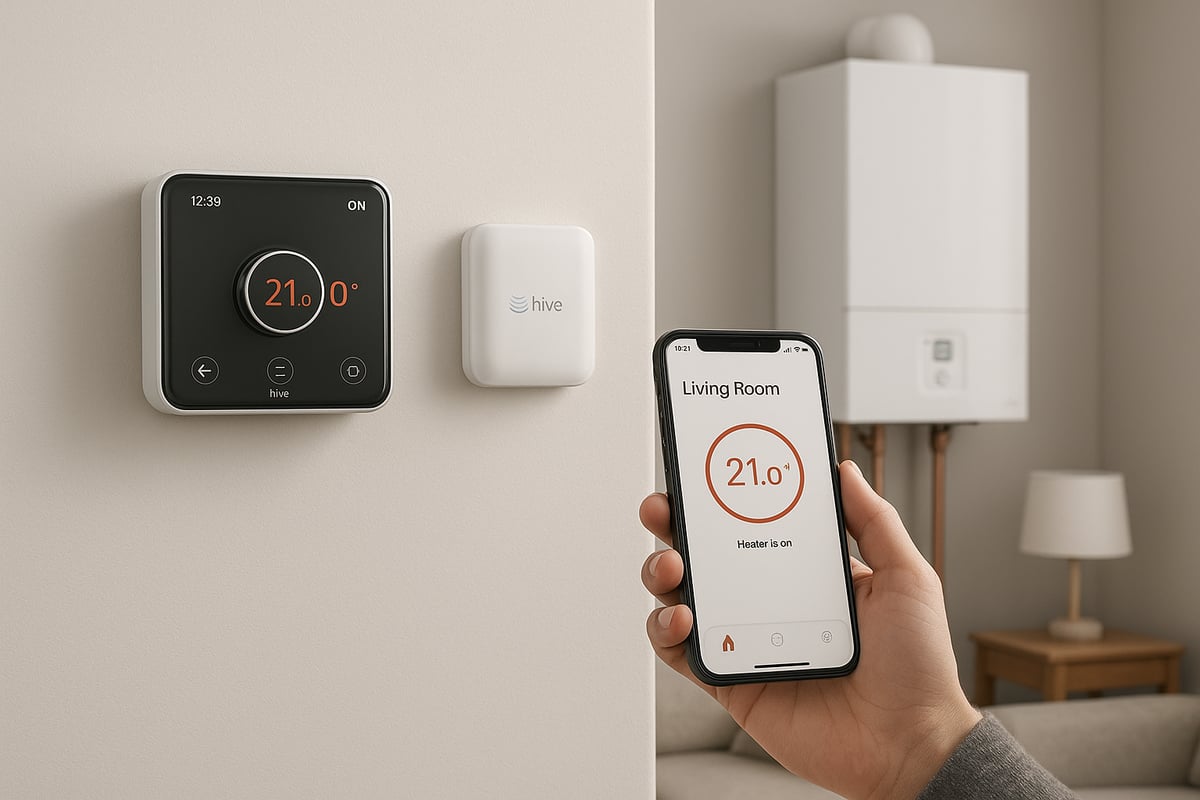
Hive is a leading brand in the smart heating market, designed to give homeowners intuitive, remote control over their heating systems. The hive thermostat and receiver form the central link between your heating appliances and the wider smart home network, enabling seamless management from a smartphone, tablet, or voice assistant.
Hive’s popularity has grown thanks to its straightforward approach to smart homes. By connecting heating controls to the internet, Hive allows users to adjust temperatures, set schedules, and monitor usage from anywhere, making it a cornerstone for modern energy management.
Key Components: Thermostat, Receiver, Hive Hub
A typical hive thermostat and receiver setup consists of three main elements:
| Component | Role |
|---|---|
| Thermostat | Senses room temperature, allows user control |
| Receiver | Communicates with boiler, relays commands |
| Hive Hub | Links system to Wi-Fi and the Hive app |
The thermostat can be wall-mounted or freestanding, giving flexibility in placement. The receiver sits near the boiler, receiving signals from the thermostat and Hive Hub. The Hive Hub connects everything to your home Wi-Fi, enabling smart features and app-based control.
These components work together to ensure that commands sent from your app or voice assistant are translated into precise heating actions, delivering both comfort and efficiency.
How Hive Works: Wireless Communication and Compatibility
The hive thermostat and receiver communicate wirelessly using secure radio frequencies, reducing the need for extensive wiring. Once installed, the system can be controlled via the Hive app, which offers scheduling, manual adjustments, and real-time monitoring.
Hive integrates easily with leading smart home platforms, including Amazon Alexa, Google Assistant, and Apple HomeKit. This allows voice control and automation routines, such as adjusting heating based on your location or time of day.
Compatibility is a key strength. Hive supports a wide range of UK boiler types:
- Combi boilers
- System boilers
- Conventional boilers
A quick compatibility check ensures your existing heating system works with Hive. For more details, you can consult the official Hive Thermostat Compatibility guide.
The Evolution of Hive: From Launch to 2026
Since its launch, Hive has continually evolved, introducing smarter features and improved connectivity. Early models focused on basic remote control, but recent updates have brought adaptive scheduling, geolocation, and integration with a growing list of smart devices.
Looking ahead to 2026, Hive is set to introduce even more intelligent automation, enhanced energy analytics, and improved support for multi-zone heating. These updates ensure that the hive thermostat and receiver will remain at the cutting edge of smart home technology, ready to meet future demands.
Benefits, Market Data, and Real-World Example
The hive thermostat and receiver offer a host of benefits:
- Energy savings through precise scheduling and adaptive learning
- Remote access and control, whether at home or away
- Integration with voice assistants for hands-free operation
- Compatibility with other smart devices for a unified home system
According to Statista, over 1.5 million smart thermostats were installed in UK homes by 2023, with Hive among the top brands. Homeowners consistently report lower energy bills and greater comfort.
Consider Sarah, a homeowner in Kent. After installing a hive thermostat and receiver, she used adaptive scheduling to tailor heating to her family’s routine. Over the first year, her energy bills dropped by 18 percent, all while maintaining a cosy home environment.
For a deeper look at these advantages, explore the Benefits of installing a smart thermostat.
Step-by-Step: Installing Your Hive Thermostat and Receiver
Upgrading to a hive thermostat and receiver can transform your home's comfort and efficiency. Careful installation is the foundation for reliable smart heating. Follow these steps to ensure a seamless setup, whether you are a DIY enthusiast or opting for professional help.
Pre-Installation Essentials
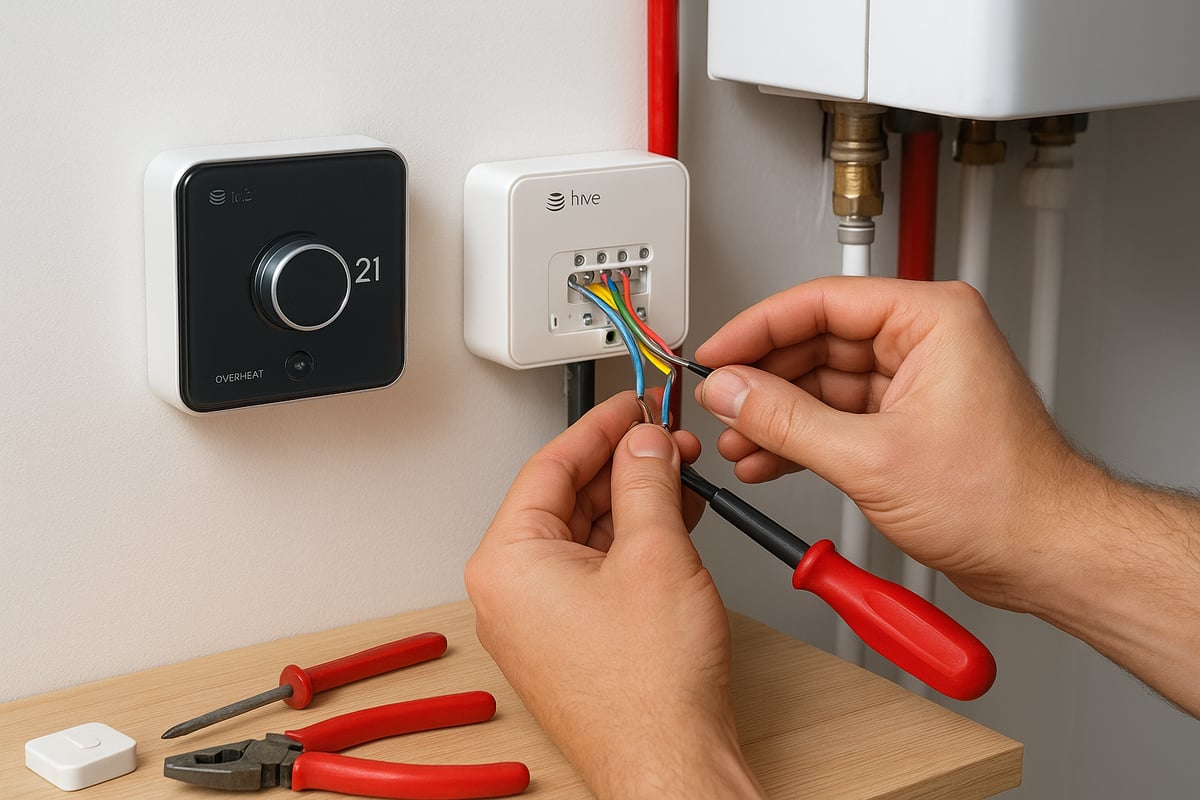
Before fitting your hive thermostat and receiver, gather all necessary tools. You will need a small flathead screwdriver, Phillips screwdriver, voltage tester, drill, suitable wall plugs, and your Wi-Fi details.
Safety comes first. Always switch off mains power to the boiler and heating controls before starting. In the UK, working with central heating wiring often requires Gas Safe registration. If unsure, consult a professional to ensure compliance with legal and safety standards.
Identify your boiler type – combi, system, or conventional – as this affects compatibility and wiring. Check your current system's wiring layout and take clear photos for reference. Prepare your Wi-Fi network by ensuring it is stable and has a strong signal near the receiver and thermostat locations.
Review the Hive installation manual thoroughly. For extra guidance, official resources like the Hive Thermostat Installation Guide provide step-by-step instructions.
Avoid common mistakes, such as mislabeling wires or skipping the power-off step. For a deeper look at frequent errors, see this overview of common mistakes with smart thermostats.
Did you know? Around 60% of UK homeowners choose professional installation, while 40% attempt DIY. Choosing the right approach for your hive thermostat and receiver is crucial for safety and long-term performance.
Installing the Receiver
Start by locating the ideal position for your receiver. It should be close to your boiler, away from metal surfaces, and within Wi-Fi range. Switch off all power to the boiler system before proceeding.
Carefully remove the existing controller or programmer. Using your reference photos, connect the wires as shown in the manufacturer’s diagram. Typical connections include live, neutral, earth, and switching wires. Double-check all connections before securing the receiver to the wall.
Once wired, restore power and observe the receiver’s indicator lights. A solid green light usually means successful power and connectivity. If your hive thermostat and receiver do not power up, check for loose wires or tripped switches.
Troubleshooting tip: If the receiver fails to connect, ensure all terminals are secure, and the boiler is switched on. Most initial issues are resolved by rechecking wiring or resetting the receiver.
A professional installer typically completes this step in 30-45 minutes, while DIYers may need up to 90 minutes. Taking your time ensures your hive thermostat and receiver are set up correctly from the start.
Setting Up the Thermostat and Connecting to Hive Hub
Decide whether to wall-mount your thermostat or place it freestanding. Choose a central location away from direct sunlight, radiators, or draughts.
Pair the thermostat with your hive thermostat and receiver by following the on-screen prompts or using the Hive app. Next, connect the Hive Hub to your router, then use the app to link all devices. This enables remote control and smart scheduling.
Configure your initial settings via the Hive app. Set your preferred comfort temperature, and create a basic heating schedule. The app guides you through Wi-Fi setup, ensuring your hive thermostat and receiver communicate smoothly with your network.
Customise your heating schedules for maximum energy efficiency. For example, set lower temperatures overnight or during work hours. Many users find they can reduce bills by 10-20% using adaptive schedules.
A homeowner in Kent shared their first-time experience: "Once I paired the hive thermostat and receiver with the app, I could control the heating from anywhere. The process was straightforward, and I noticed immediate savings."
Recent surveys show over 85% of users are satisfied after installing their hive thermostat and receiver, citing ease of use and improved comfort.
Hive Thermostat Features & Smart Home Integration
Embracing smart technology in 2026 means expecting more from your heating system. The hive thermostat and receiver now offer an impressive suite of features that go beyond simple temperature control, helping you create a home environment that is both comfortable and energy efficient.
Core Features for 2026
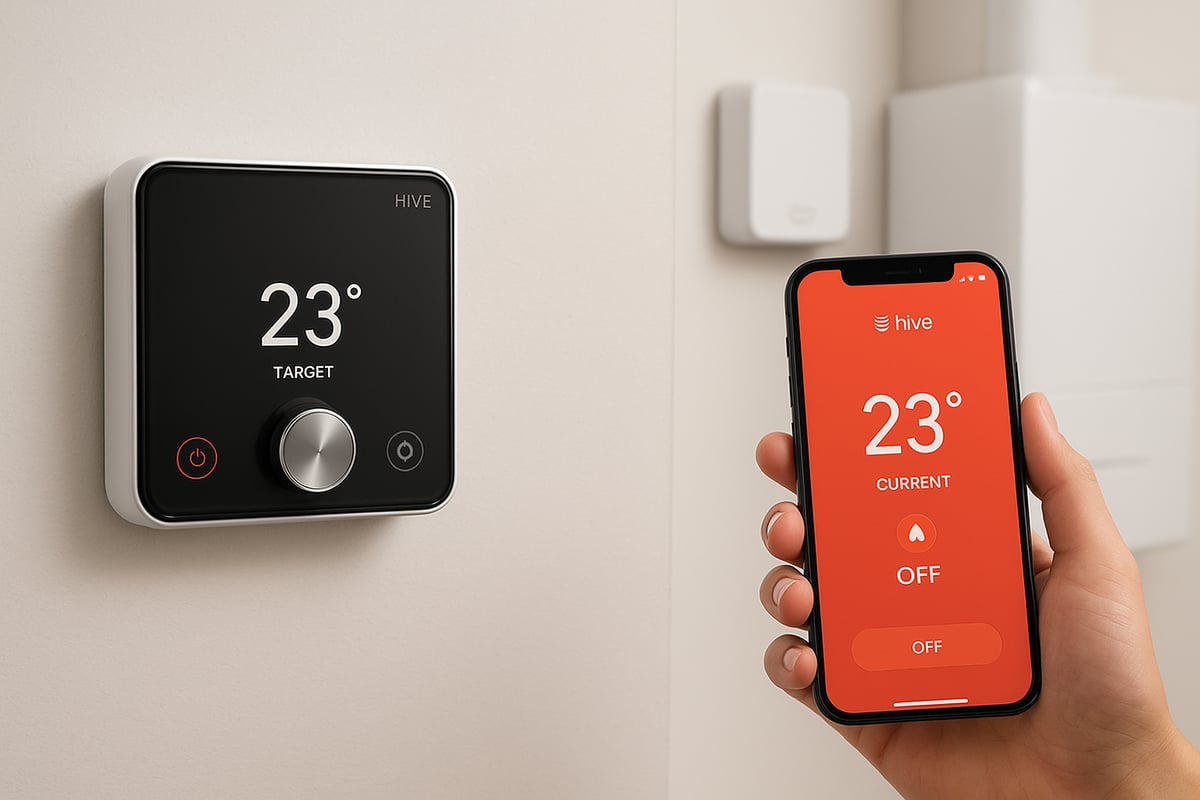
The hive thermostat and receiver bring a wealth of features designed to suit modern lifestyles. Adaptive scheduling is at the heart of its capabilities, learning your routines and automatically adjusting heating patterns to maximise comfort and savings. Geolocation technology means your home’s heating can respond to your proximity, warming up as you approach and conserving energy when you are away.
Holiday mode and frost protection are built in, maintaining safe temperatures during winter absences and preventing frozen pipes. For larger homes or extensions, multi-zone control allows separate temperature settings in different areas, ensuring each room is just right. Voice assistant integration is seamless, with Alexa, Google Assistant, and Siri compatibility for hands-free control.
As smart home adoption rises, these features become even more valuable. According to recent projections, integration between heating controls and other smart devices will be standard in most UK homes by 2026. Imagine leaving work, and as you near home, the hive thermostat and receiver automatically adjust the temperature and switch on hallway lights.
Here’s a quick summary of the top features:
| Feature | Benefit |
|---|---|
| Adaptive Scheduling | Learns routines, optimises heating |
| Geolocation | Adjusts heating based on user location |
| Holiday Mode | Maintains safe temps during absences |
| Frost Protection | Prevents frozen pipes |
| Multi-Zone Control | Independent settings for different rooms |
| Voice Assistant | Hands-free operation |
If you would like a broader overview of what smart thermostats can do, explore these types of smart thermostat features.
With the hive thermostat and receiver, homeowners are reporting significant improvements in comfort and energy management. One family in Sussex found that customising schedules and using geolocation led to fewer wasted hours of heating, translating to noticeable savings by the end of winter.
Advanced Integrations and Upgrades
Beyond core features, the hive thermostat and receiver support advanced integrations that future proof your home. Compatibility with IFTTT and third-party automation platforms means you can create custom routines, such as lowering heating when windows are open or linking with security systems for comprehensive home management.
The hive thermostat and receiver can also connect with renewable energy systems. For example, integration with solar panels allows your heating to respond to available solar power, making the system more sustainable. Data analytics tools provide detailed usage reports, helping you understand patterns and identify opportunities to improve efficiency.
Looking ahead, Hive is preparing for 2026 with software and hardware updates to support new energy standards and smart grid compatibility. Homeowners in Kent have already begun upgrading to multi-zone systems, with one case study highlighting a seamless transition from a conventional setup to a fully connected smart heating solution. The homeowner reported smoother temperature control, lower bills, and greater peace of mind.
Here is how the hive thermostat and receiver stack up for future readiness:
| Upgrade Option | 2026 Compatibility | User Benefit |
|---|---|---|
| IFTTT Automation | Yes | Custom smart routines |
| Solar Integration | Yes | Renewable energy use |
| Multi-Zone Expansion | Yes | Room-by-room control |
| Data Analytics | Yes | Usage insights and savings |
Industry trends show that by 2026, most UK homes will expect seamless connectivity between heating, lighting, and security. The hive thermostat and receiver are positioned at the forefront, ensuring your home is equipped for these demands.
Whether you are looking for convenience, savings, or a greener footprint, the hive thermostat and receiver offer the features and flexibility to meet your needs today and well into the future.
Troubleshooting and Maintenance: Keeping Your Hive System Running Smoothly
Keeping your hive thermostat and receiver in top condition means you enjoy seamless comfort and peace of mind. Even the most reliable smart systems need occasional attention, so understanding routine troubleshooting and maintenance is essential for long-term performance.
Common Issues with Hive Thermostat and Receiver
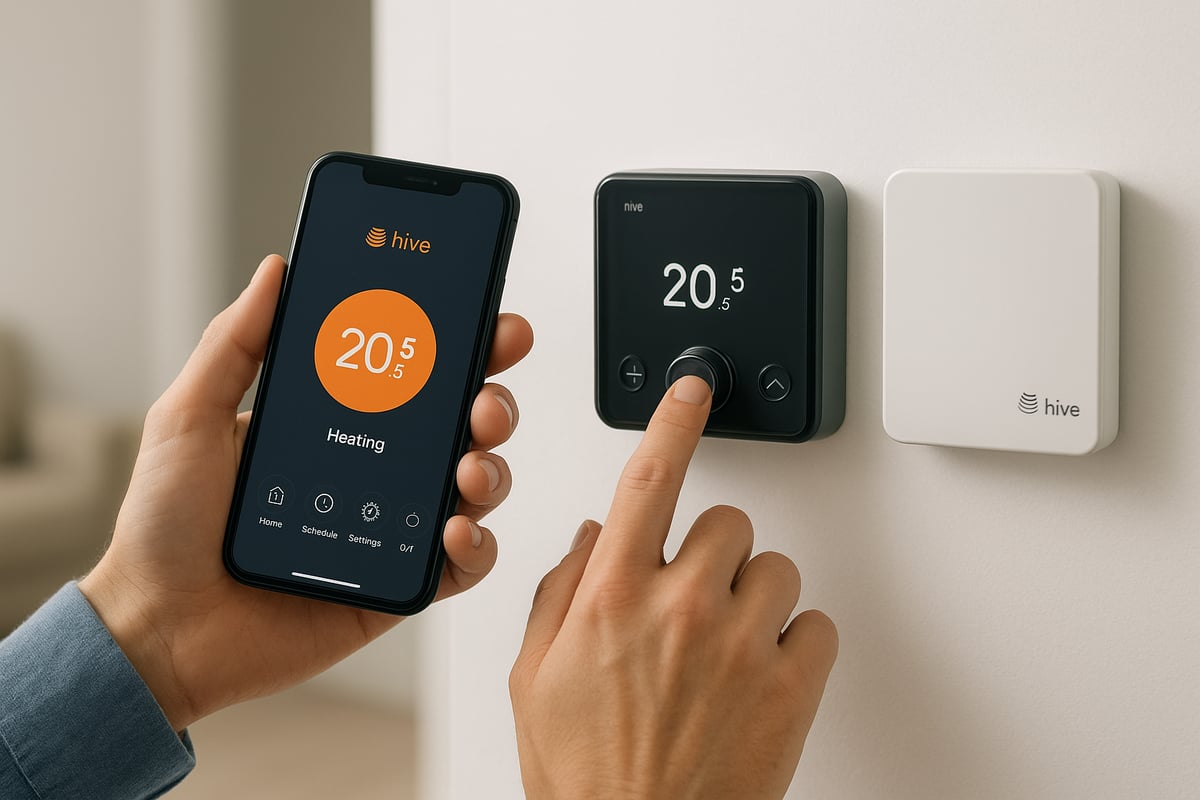
Users occasionally encounter issues such as lost connectivity between the hive thermostat and receiver, unresponsive thermostats, or errors within the Hive app. These problems can disrupt your heating schedule, but most have straightforward fixes. If you are new to smart controls, reviewing a Beginner's guide to smart heating controls can help you understand the basics before attempting any troubleshooting.
Diagnostic Steps and Error Codes
When your hive thermostat and receiver stop communicating, start by checking the Hive app for error notifications. The app provides clear codes and guidance for most faults. For example, a flashing amber light on the receiver usually means it is searching for the thermostat. If both devices are powered but not linking, try rebooting the Hive Hub and your router.
List of quick diagnostics:
- Confirm both devices have power.
- Check Wi-Fi connectivity and signal strength.
- Inspect for physical obstructions or interference.
- Review error messages in the Hive app.
- Reset the receiver and thermostat following the official guide.
Firmware Updates and System Security
Regular firmware updates are vital for the hive thermostat and receiver. Updates fix bugs, improve security, and add new features. You can check for updates through the Hive app settings. Set the system to update automatically if possible, and always ensure your Wi-Fi is stable during the process.
Battery Replacement and Hardware Care
If your hive thermostat and receiver are battery powered, check battery status in the app. Low batteries can cause dropouts or slow response. Replace with high-quality batteries as needed. Keep terminals clean and free from dust. For wired setups, inspect cables for wear and ensure connections are secure.
When to Call a Professional
Some faults with your hive thermostat and receiver are best left to certified engineers. If you notice persistent connectivity failures, unexplained heating issues, or error codes that persist after a reset, contact a professional. Gas Safe engineers should handle any issues involving boiler wiring or gas supply. DIY fixes are suitable for basic resets and app troubleshooting, but advanced faults require expertise.
Step-by-Step: Fixing a Common Receiver Pairing Issue
If your hive thermostat and receiver will not pair, follow these steps:
- Turn off power to the boiler and receiver.
- Wait 30 seconds, then power them back on.
- Press the pairing button on the receiver until the indicator flashes.
- On the Hive thermostat, enter pairing mode as described in the manual.
- Wait for both devices to confirm connection (steady green light).
- Test heating via the app.
This process solves most initial pairing issues within minutes. Typical DIY users resolve this in under 15 minutes, while professionals may do it faster.
DIY Troubleshooting Success Rates
According to recent surveys, over 70% of Hive users report successful DIY fixes for minor issues with their hive thermostat and receiver. The Hive app’s clear instructions and error codes make it easier for homeowners to address common faults without external help.
Preventive Maintenance Tips
To keep your hive thermostat and receiver running smoothly:
- Schedule a monthly check of app updates and device status.
- Replace batteries annually or as indicated.
- Clean the thermostat and receiver gently with a soft cloth.
- Avoid blocking devices with furniture or décor.
- Review heating schedules seasonally for optimal energy use.
By following these maintenance steps, you will ensure your smart heating system remains reliable and ready for the future.
Maximising Energy Savings and Comfort with Hive
Making the most of your hive thermostat and receiver means more than just turning the heating up or down. With the right settings and a few simple strategies, you can boost comfort and cut costs every month.
Customise Schedules for Your Lifestyle
Begin by tailoring your heating schedule to match your daily routine. The hive thermostat and receiver allow you to set different temperatures for weekdays and weekends, ensuring warmth when you need it and savings when you do not. If your family’s timetable varies, use the app’s adaptive scheduling to adjust on the go.
For homes with multiple zones, assign different temperatures to bedrooms, living areas, or extensions. This targeted approach prevents wasted energy in unused rooms and keeps everyone comfortable.
Leverage Data and Integrate Smart Devices
The hive thermostat and receiver collect usage data, helping you spot trends and optimise settings. Review your heating history in the Hive app to find patterns where you might be overheating or leaving the system on unnecessarily.
Connect compatible devices like smart thermostatic radiator valves (TRVs) for even finer control. These work in tandem with your hive thermostat and receiver to maintain desired temperatures in specific rooms. For a deeper dive into smart features and compatibility, read this Hive Thermostat Review 2024.
Real World Savings and Eco-Friendly Tips
Consider the example of a Rochester family who customised their heating zones and schedules. By leveraging the adaptive features of their hive thermostat and receiver, they reduced their annual bill by 20 percent.
According to the Energy Saving Trust, the average UK household can save between £75 and £150 a year by using smart thermostats efficiently. Here is a quick comparison:
| Heating Setup | Estimated Annual Savings |
|---|---|
| Standard thermostat | £0 |
| hive thermostat and receiver | £75–£150 |
To further reduce your carbon footprint:
- Lower your target temperature by 1°C where possible.
- Use holiday mode when away.
- Pair with other energy-saving devices for maximum impact.
Prioritise regular firmware updates and battery checks to keep your system running smoothly.
Harnessing the full potential of your hive thermostat and receiver transforms your home into a comfort-driven, cost-effective, and environmentally responsible space.
The Future of Smart Heating: Trends and Innovations for 2026
The smart heating industry is entering a new era, with the hive thermostat and receiver at the centre of innovation. In 2026, we will see a surge in AI-driven heating, predictive maintenance, and energy-sharing networks. These advancements promise smarter, more adaptive homes. Imagine a system that not only learns your habits but also collaborates with neighbours to lower collective energy use. This is the smart home reality on the horizon.
Hive is leading the way by expanding its ecosystem and compatibility. The hive thermostat and receiver will soon integrate seamlessly with more smart platforms, including Apple’s HomeKit. This means you will control your heating with Siri and the Apple Home app, as detailed in the Hive Thermostat HomeKit Integration update. Expect enhanced automation, cross-device routines, and real-time efficiency insights. Hive’s roadmap focuses on future-proofing, with regular updates to ensure your system stays ahead of the curve.
Regulatory changes are also shaping the future of the hive thermostat and receiver. The UK government is encouraging low-carbon heating and interoperability between smart devices. This shift is driving manufacturers to adopt open standards and boost energy efficiency. Consumers increasingly demand systems that are not only convenient but also eco-friendly. Features like remote diagnostics and automatic firmware updates are becoming standard expectations.
Consider the story of a Kent homeowner who recently trialled beta features on their hive thermostat and receiver. After upgrading to multi-zone control and linking with solar panels, they reduced annual heating costs and improved comfort. According to industry forecasts, the UK smart heating market is set to grow by over 25 percent by 2026. Early adopters of Hive’s latest innovations are already seeing the benefits, both in savings and sustainability.
As you look to future proof your home’s comfort and energy efficiency with Hive, remember that getting the installation right is key to unlocking all the smart features and savings we’ve discussed. If you’re in Kent and want professional support from a trusted, Gas Safe registered team with over 20 years of experience, you don’t have to tackle it alone. Let us help you keep your home warm, efficient, and ready for 2026 and beyond.
Keeping Homes in and around kent Warm, Dry & Flowing Book with castle heating kent

