
Honeywell Thermostat CM927 Guide: Setup & Features 2026
Energy efficiency and comfort have never been more important in UK homes. Programmable thermostats play a key role in reducing heating costs and maintaining a cosy environment. The honeywell thermostat cm927 stands out as a trusted, advanced solution for modern heating control.
This guide will walk you through everything you need to know about the honeywell thermostat cm927 in 2026, from setup to advanced features. Explore product details, a step-by-step installation guide, troubleshooting tips, and comparisons with alternatives. Discover how you can optimise your home heating, maximise comfort, and save energy with the honeywell thermostat cm927.
Honeywell Thermostat CM927: Product Overview
The honeywell thermostat cm927 stands out as a reliable solution for UK households seeking programmable heating control without the need for smart technology. Designed for ease of use, it provides flexibility, precision, and robust performance in both modern and traditional homes.
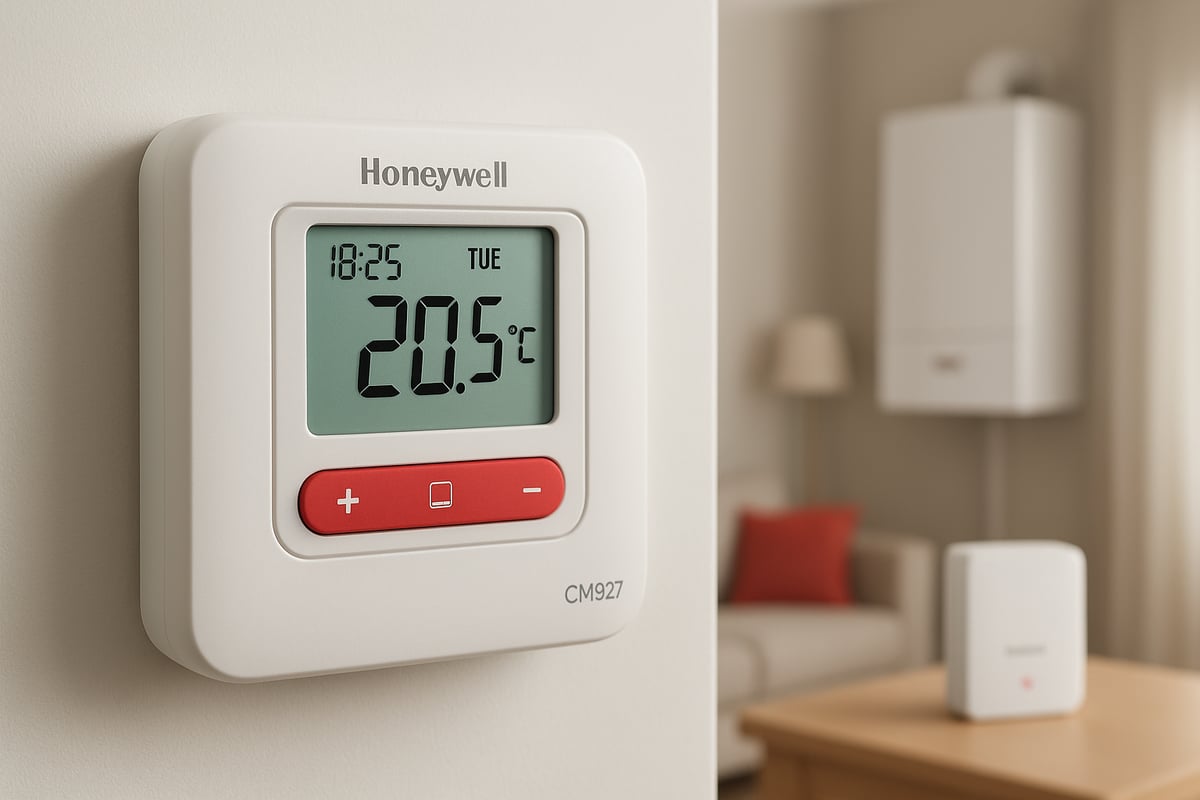
What is the Honeywell CM927?
The honeywell thermostat cm927 is a wireless programmable thermostat designed to control central heating systems, especially combi boilers. Unlike traditional wall-mounted thermostats, it is portable and battery powered, allowing you to place it in any room for optimal temperature measurement.
This model operates by communicating with a dedicated receiver unit installed near the boiler. The CM927 is distinct from similar models such as the CMS927 and CMS927B1049, which may feature minor hardware or regional differences. Its popularity stems from its straightforward programming and dependable wireless control, making it a favourite for those who want advanced scheduling without the complexity of app-based systems.
If you require a detailed breakdown of setup and operation, the Honeywell CM927 User Manual offers comprehensive guidance.
Key Specifications and Technical Details
The honeywell thermostat cm927 offers a flexible 7-day programming system, enabling homeowners to set unique schedules for each day of the week. You can set up to six temperature changes per day, with control increments as precise as 0.5°C, ensuring comfort and energy efficiency.
Wireless communication between the thermostat and receiver is robust, with a typical range suitable for most UK homes. The unit runs on standard AA batteries, which generally last up to two years under normal use. The receiver, installed near the boiler, handles the switching of the heating system and features clear LED indicators for status updates. Installation requirements are minimal for most standard central heating setups.
Who Should Use the CM927?
The honeywell thermostat cm927 is ideal for homeowners who want programmable control without integrating smart technology. It is particularly suited to properties with combi boilers, where straightforward, reliable scheduling is a priority.
This thermostat appeals to those who prefer manual scheduling over smartphone apps. Typical users include new homeowners seeking a simple upgrade, landlords managing rental properties, and families focused on reducing energy bills. It is also recommended for anyone who values portability, as it can be moved between rooms for more accurate temperature measurement.
Market Position in 2026
Despite the increasing popularity of smart thermostats, the honeywell thermostat cm927 maintains a strong market presence in 2026. It is valued for its robust build, ease of use, and reliable wireless performance, often costing less than leading smart alternatives such as Nest, Hive, or Wiser.
Users continue to praise its programmability and flexibility, while noting common issues like display delamination and battery maintenance. Compared to smart models, it offers a cost-effective, low-maintenance option for those who do not require app connectivity. Positive reviews highlight its longevity and straightforward operation, making it a trusted choice for many UK households.
Step-by-Step Setup Guide for the Honeywell CM927
Setting up your honeywell thermostat cm927 is a straightforward process, but following each step carefully will ensure optimal performance and long-term reliability. This detailed guide will walk you through unboxing, installation, programming, and initial testing, so you can enjoy precise heating control in your home.
Unboxing and Preparing the Thermostat
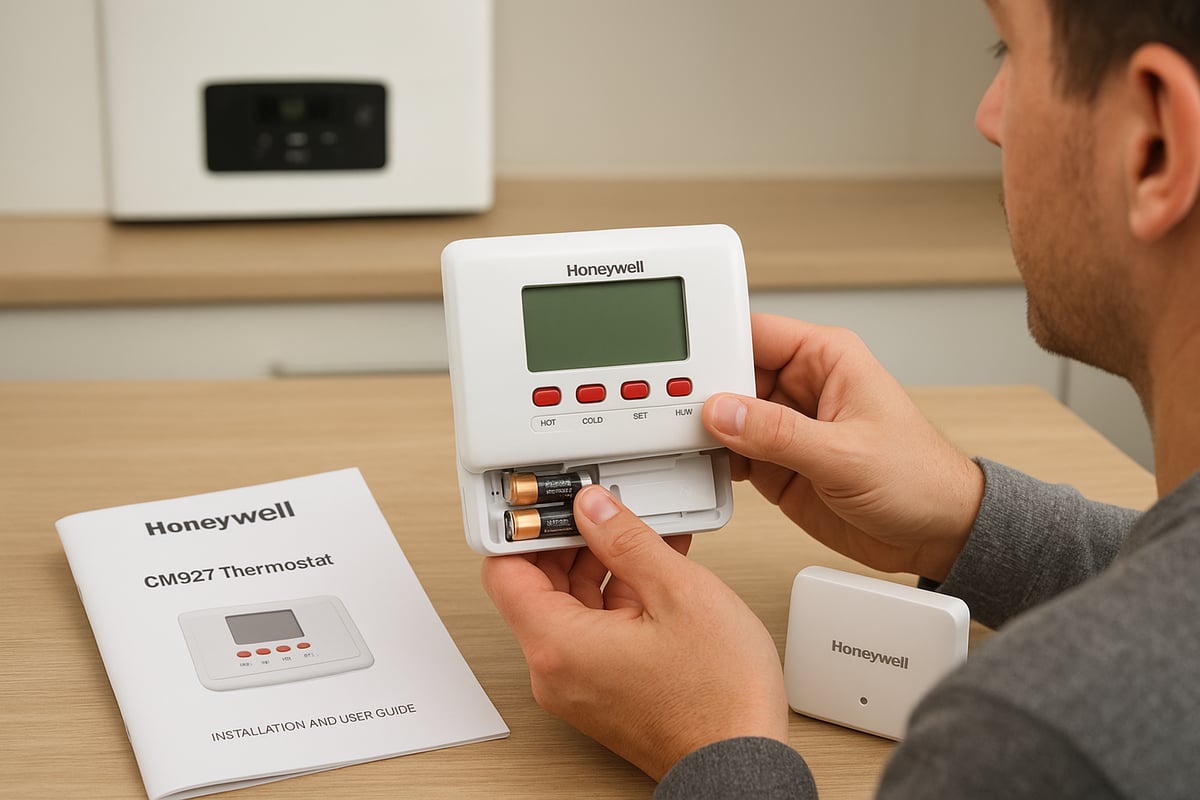
Begin by carefully opening the honeywell thermostat cm927 packaging. Inside the box, you should find:
- The wireless thermostat unit (CM927)
- The receiver box (to be installed near your boiler)
- Two AA batteries
- A table stand for portable use
- Mounting screws (if you prefer a fixed location)
- Instruction manuals
Check all items against the list above to ensure nothing is missing. Inspect the devices for any visible damage.
Insert the supplied AA batteries into the thermostat. The honeywell thermostat cm927 display should activate, showing the default settings. If the screen does not light up, double-check battery orientation or try a fresh set.
Choose a temporary location for the thermostat. Place it away from direct sunlight, draughts, or heat sources, ideally at chest height in a room you use frequently. This ensures the honeywell thermostat cm927 reads the true ambient temperature, providing accurate control.
Installing the Receiver Unit
The receiver is a crucial component of the honeywell thermostat cm927 system. It communicates wirelessly with the thermostat and connects directly to your boiler.
Locate a suitable spot for the receiver, typically near your combi boiler or central heating wiring centre. Ensure it is within the recommended wireless range of the thermostat, avoiding thick walls or metal objects that could interfere.
Before starting, isolate the boiler power at the mains for safety. Wiring the receiver is relatively straightforward, but if you are unsure, consult a professional. The receiver terminals are clearly labelled for live, neutral, and switched live connections.
Follow these safety tips:
- Always double-check power is off before wiring.
- Use insulated tools.
- Secure all connections firmly.
Once wired, power the boiler back on. The receiver’s LED indicators will light up. Common LED meanings:
| LED Colour | Status |
|---|---|
| Green | Power on |
| Red | Boiler call for heat |
| Flashing | Pairing or fault |
For further technical details, refer to the Honeywell CM927 Installation Guide.
Pairing the Thermostat and Receiver
With both units powered, you are ready to pair your honeywell thermostat cm927 with its receiver. This allows them to communicate and control your heating system wirelessly.
Start by pressing the grey button on the receiver to enter sync mode. The LED should start flashing, indicating it is ready to pair. On the thermostat, navigate to the pairing menu (refer to the user manual for exact steps).
Press and hold the designated button until the honeywell thermostat cm927 display shows a pairing icon. The receiver’s LED will turn solid, confirming successful communication.
If pairing fails:
- Move the thermostat closer to the receiver.
- Check for battery issues.
- Power cycle both units and try again.
When replacing just the thermostat, repeat this process to connect with an existing receiver. The honeywell thermostat cm927 will then resume controlling your heating as before.
Programming the Heating Schedule
The honeywell thermostat cm927 offers a flexible 7-day programmable schedule, letting you tailor heating to your lifestyle.
Access the schedule menu via the main interface. You can set up to six time blocks per day, each with its own target temperature. For example, set a warmer temperature for mornings and evenings, and a cooler one during the day when the house is empty.
To set weekday and weekend routines:
- Select the days to programme.
- Input start times and desired temperatures.
- Save each block before moving to the next.
For holidays, activate holiday mode to maintain a lower temperature for an extended period. Temporary overrides let you adjust the temperature without changing the full schedule, giving you flexibility for unexpected changes.
The honeywell thermostat cm927 makes it easy to adapt your heating, ensuring comfort and efficiency throughout the week.
Initial Testing and Safety Checks
After programming, test the honeywell thermostat cm927 to confirm everything is working. Adjust the set temperature and check that the receiver responds, activating your boiler as expected.
Observe the receiver’s LEDs to confirm signals are being received. If the heating does not turn on, check for error messages on the thermostat display, battery status, or receiver wiring.
Final placement is important for accurate readings. Avoid putting the honeywell thermostat cm927 near windows, doors, or radiators. A central location in your main living area is ideal.
By following these steps, your honeywell thermostat cm927 will deliver reliable, programmable heating control, enhancing your home’s comfort and efficiency.
Key Features and Functions of the CM927
The honeywell thermostat cm927 stands out for its balance of advanced programmability, robust wireless design, and user-friendly operation. Its features are designed to maximise comfort and energy efficiency in UK homes, making it a favourite among those seeking reliable, manual heating control.
Advanced Programmable Scheduling
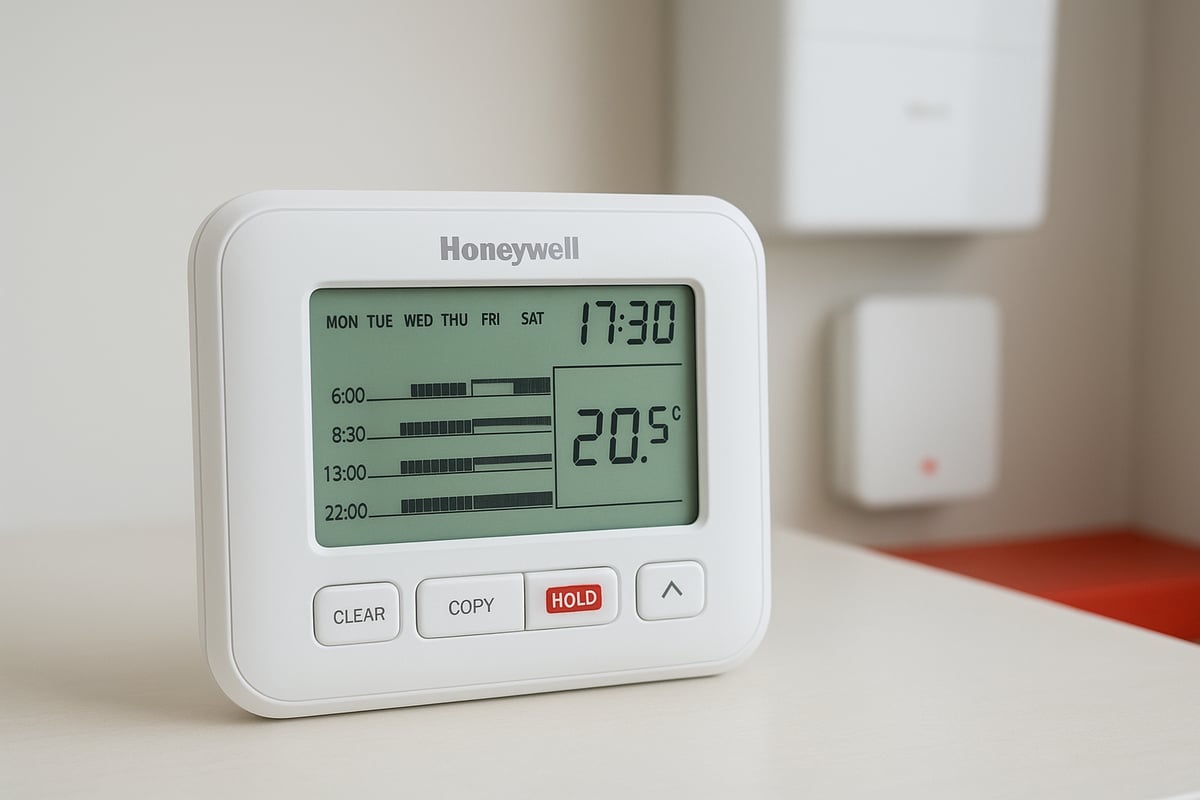
One of the core attractions of the honeywell thermostat cm927 is its powerful 7-day programmable scheduling. Users can set up to six temperature changes per day, adapting heating patterns to fit daily routines and seasonal shifts.
Weekday and weekend schedules can be customised separately. For example, you might set a warm morning boost during workdays, with a later start on weekends. Holiday mode offers a simple way to lower temperatures during absences, helping avoid unnecessary energy use.
Here is a quick example:
| Day | Morning | Day | Evening | Night |
|---|---|---|---|---|
| Weekday | 07:00 | 09:00 | 17:00 | 22:30 |
| Weekend | 08:30 | 10:00 | 18:00 | 23:00 |
With these flexible schedules, the honeywell thermostat cm927 enables energy savings without sacrificing comfort.
Precision Temperature Control
The honeywell thermostat cm927 allows for precise temperature management in 0.5°C increments. This fine control helps maintain a steady, comfortable environment while avoiding wasted energy.
It is equipped with advanced algorithms to manage hysteresis and prevent short cycling. This means the heating system does not switch on and off too frequently, reducing wear and maintaining efficiency.
Users can adjust cycle rates and overshoot settings to fine-tune performance. If you notice temperature swings, tweaking these settings can help stabilise your home’s climate. The honeywell thermostat cm927’s attention to precision supports both comfort and energy savings.
Wireless Portability and Flexibility
A defining feature of the honeywell thermostat cm927 is its wireless, battery-powered design. Unlike wall-mounted thermostats, it can be carried from room to room, allowing you to measure and control temperature where it matters most.
For example, you may place the thermostat in a living area during the day, then move it to a bedroom at night for targeted warmth. This flexibility is particularly useful in homes with varying occupancy or heating needs.
When used alongside thermostatic radiator valves, the honeywell thermostat cm927 enables practical zoned heating. For more on how TRVs and programmable thermostats can work together, see our guide on thermostatic radiator valves and smart control.
User Interface and Display
The honeywell thermostat cm927 features a large LCD screen designed for clarity and ease of use. The interface uses clearly labelled buttons, making navigation straightforward even for those unfamiliar with digital controls.
Battery status is always displayed, with alerts to prompt timely replacement. While the display is generally reliable, some users have reported issues with fading or delamination over time. Keeping the device away from direct sunlight and moisture can help preserve screen quality.
Quick access to settings, overrides, and schedules makes the honeywell thermostat cm927 accessible for users of all ages.
Additional Features
Beyond core scheduling and control, the honeywell thermostat cm927 offers a range of extra functions that enhance safety and convenience.
Key features include:
- Temporary and permanent manual overrides, letting you quickly adjust temperatures without changing the full schedule.
- Frost protection, which prevents your home from dropping below a safe minimum temperature.
- Child lock and security options to prevent accidental changes.
- Receiver fail-safe, which ensures the boiler remains safe if the wireless signal is lost.
These additions help make the honeywell thermostat cm927 a trusted choice for families and landlords seeking peace of mind.
Limitations and Known Issues
While the honeywell thermostat cm927 is robust and user-friendly, it does have a few limitations.
Common issues include:
- Occasional display fading or delamination, which may require professional repair.
- Battery replacement every 12-18 months, depending on usage.
- No built-in smart connectivity or remote access, which might be a drawback for tech-focused users.
Despite these points, the honeywell thermostat cm927 remains a reliable and cost-effective solution for many UK homes in 2026.
Troubleshooting and Maintenance Tips
Keeping your honeywell thermostat cm927 running smoothly involves regular checks and quick action when issues appear. Many common faults can be resolved at home, saving time and avoiding unnecessary costs.
Common Problems and Quick Fixes
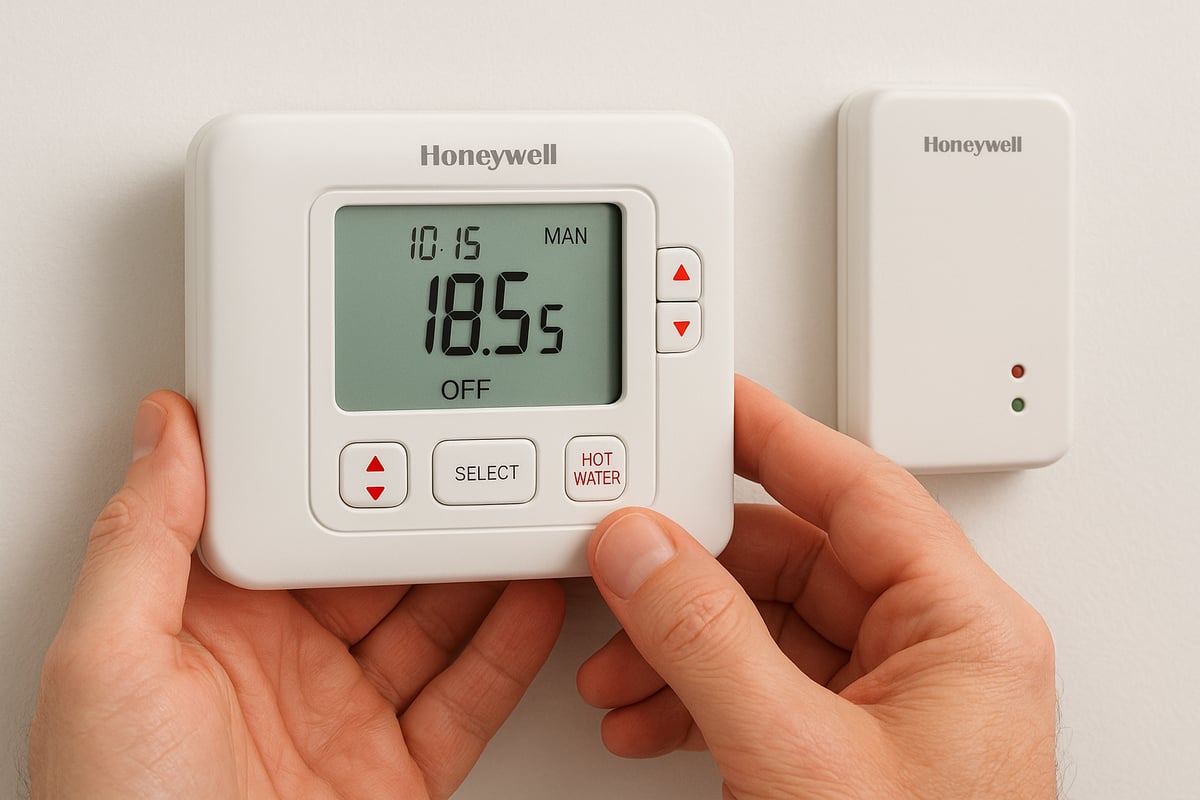
The honeywell thermostat cm927 may sometimes show a faded or missing display, lose connection with its receiver, or fail to activate heating. Start by checking the display for missing segments or unreadable numbers. If the screen is faint, try replacing the batteries first.
For wireless issues, ensure the receiver’s signal light is steady. If heating does not respond, check both the thermostat and the receiver. Restart both units if needed. Most issues are resolved by simple resets or battery changes.
- Faded display: replace batteries, check contacts
- No wireless signal: move thermostat closer, reset receiver
- Heating not responding: inspect settings, reset system
A systematic approach helps restore normal function quickly for your honeywell thermostat cm927.
Battery and Power Management
Reliable operation of the honeywell thermostat cm927 depends on timely battery replacement. Always use high-quality AA alkaline batteries. When the low battery icon appears or the display dims, change both batteries immediately to avoid loss of settings.
Follow these steps for safe battery change:
- Remove the battery cover gently
- Replace both batteries, observing correct polarity
- Check the display for full clarity after replacement
Low battery can cause erratic behaviour, such as lost wireless connection or heating delays. Testing with new batteries is a simple first step before considering more complex repairs.
Replacing or Upgrading the CM927
If your honeywell thermostat cm927 requires replacement or you wish to upgrade, the process is straightforward. Power off the system and remove the old unit. Most new CM927 devices are directly compatible with existing receivers.
Pair a new thermostat by:
- Installing fresh batteries
- Entering pairing mode on both thermostat and receiver
- Confirming the connection via receiver indicator lights
This approach allows for a direct swap, often completed in minutes. If you are unsure, refer to the official Honeywell CM927 User Guide PDF for detailed pairing instructions.
DIY Repairs and When to Call a Professional
Many honeywell thermostat cm927 issues are easily resolved by homeowners. Simple repairs include battery replacement, re-pairing with the receiver, and cleaning battery contacts. However, display delamination or persistent connection problems may require professional intervention.
Attempting advanced repairs can risk further damage. If the unit does not respond after basic troubleshooting, or if wiring issues are suspected, contact a qualified heating engineer. This ensures safe operation and prevents voiding warranties.
Preventive Maintenance
Routine maintenance extends the lifespan of your honeywell thermostat cm927. Check and replace batteries every 12 months or sooner if prompted. Keep the device and receiver clean and dust-free for optimal performance.
Ensure the receiver remains in a clear location, away from metal objects or interference. If software or firmware updates are available, follow manufacturer guidance to keep your thermostat current. Regular checks help avoid inconvenient failures and maintain consistent heating control.
Advanced Usage Tips and Energy Saving Strategies
The honeywell thermostat cm927 is more than a simple controller. With a few advanced strategies, you can unlock significant energy savings and enjoy tailored comfort all year round. This section explores expert tips for scheduling, integration with other controls, fine-tuning performance, and when to consider an upgrade.
Optimising Schedules for Maximum Savings
Getting the most from your honeywell thermostat cm927 starts with effective scheduling. Use the 7-day programming feature to set lower temperatures during work hours or overnight. For example, set your weekday mornings to 20°C, drop to 16°C when the house is empty, then raise it again before you return.
Enable holiday mode when away for several days. This keeps your home protected from frost while reducing unnecessary heating. With careful planning, users often report up to 10 percent savings on gas bills. Remember to review your schedule seasonally to adapt to changing routines.
Integrating with Other Heating Controls
The honeywell thermostat cm927 works well alongside thermostatic radiator valves (TRVs). Place the thermostat in the room you use most, and allow TRVs to regulate temperatures in other spaces. This approach enables basic zoned heating, letting you focus warmth where it matters.
For instance, moving the thermostat to a bedroom in winter ensures it stays cosy without overheating the entire house. This integration helps balance comfort across rooms and avoids wasted energy in unused areas. Always check your TRVs are set correctly for best results.
Fine-Tuning for Comfort and Efficiency
To maximise comfort, the honeywell thermostat cm927 offers settings like cycle rate and temperature differential. Fine-tune these to match your boiler type and home insulation. A lower cycle rate can prevent the boiler from turning on and off too frequently, which saves energy and reduces wear.
Adjust the target temperature in 0.5°C steps for precise control. Avoid setting very high temperatures, as this can cause overshoot and discomfort. Regularly monitor performance and tweak settings to find the ideal balance between comfort and cost.
Upgrading to Smart Controls: Pros and Cons
If you are considering moving beyond the honeywell thermostat cm927, smart thermostats like Nest, Hive or Wiser offer app-based control, learning capabilities, and remote access. These features can further improve efficiency, but they come at a higher upfront cost and may need professional installation.
Before upgrading, consider privacy and data security. Not everyone wants their heating data shared online. For a detailed look at the benefits, see the Benefits of installing a smart thermostat. Weigh up the advantages against your household’s needs and habits before deciding.
Real-World User Experiences
Long-term users of the honeywell thermostat cm927 often praise its reliability and ease of use. Forums are filled with stories of units running trouble-free for over a decade. Many appreciate the manual control and clear scheduling without the distraction of apps.
Common tips from the community include regular battery checks, cleaning the receiver, and testing schedules after clock changes. If issues do arise, most can be solved with a quick battery swap or a reset. This practical feedback highlights why the CM927 remains a trusted choice.
Alternatives to the Honeywell CM927: 2026 Comparison
Looking for options beyond the honeywell thermostat cm927 in 2026? The market offers both direct programmable replacements and advanced smart thermostats to suit different needs. Whether you value traditional reliability or cutting edge control, understanding the alternatives helps you make the right choice for your home.
Competing Programmable Thermostats
If you prefer a straightforward upgrade, several programmable thermostats compete with the honeywell thermostat cm927. Models like the Pro Wireless Stat offer similar wireless control and 7 day scheduling. These alternatives typically match the CM927 for reliability and ease of use. Most direct replacements support combi boilers and require minimal installation effort, making them ideal for users who do not want smart features.
| Model | Wireless | 7 Day Prog. | Avg. Price | Battery Powered | Smart Features |
|---|---|---|---|---|---|
| Honeywell CM927 | Yes | Yes | £85-£110 | Yes | No |
| Pro Wireless Stat | Yes | Yes | £70-£95 | Yes | No |
| Drayton Digistat+RF | Yes | Yes | £65-£90 | Yes | No |
Feedback from users highlights the robust build and familiar controls of the honeywell thermostat cm927 compared to these alternatives.
Smart Thermostat Options
For those seeking advanced control, smart thermostats like Nest, Hive, and Wiser lead the pack. These options surpass the honeywell thermostat cm927 by offering app based scheduling, remote access, and integration with smart home platforms. Key benefits include learning routines, energy usage tracking, and voice assistant compatibility. However, expect higher upfront costs and more complex installation. Privacy and data collection are also considerations for some homeowners.
To understand the expanded feature sets available, see this Types of features on smart thermostats guide for a detailed breakdown of what modern smart controls offer.
Choosing the Right Solution for Your Home
Selecting between the honeywell thermostat cm927 and its alternatives depends on your boiler type, installation confidence, and desired features. If you value simplicity and manual control, programmable models like the CM927 or Pro Wireless Stat remain excellent. Smart thermostats suit those wanting remote access and automation, but come with extra costs and learning curves.
Consider your household routine and whether you want to manage heating from your phone or prefer traditional controls. For further advice on transitioning to advanced systems, consult this Beginner's guide to smart heating controls.
Where to Find Manuals and Support
Support for the honeywell thermostat cm927 and its alternatives is widely available. Manufacturer websites host downloadable manuals and step by step guides. Community forums and YouTube offer troubleshooting tips and setup walkthroughs. For specific queries, Honeywell’s customer service and local heating engineers remain reliable resources. Always use official sources to ensure accurate information.
Professional Installation and Support Options
Professional installation can make a significant difference in the performance and reliability of your honeywell thermostat cm927. While many users are comfortable with DIY setup, there are situations where expert intervention ensures safety, compliance, and peace of mind.
When to Consider Professional Help
You should consider calling a professional if your honeywell thermostat cm927 installation involves complex wiring, integration with advanced boiler systems, or if you are unsure about electrical safety. Persistent technical issues, such as repeated wireless connection failures or unresponsive heating, often require expert diagnosis.
For homeowners upgrading from older thermostats or switching from wired to wireless setups, professional support can prevent costly mistakes. Landlords and property managers may also prefer certified installation to ensure compliance with safety standards.
What to Expect from a Professional Service
A qualified installer will assess your property to determine the optimal location for your honeywell thermostat cm927 and its receiver. They will handle all wiring and mounting tasks safely, following manufacturer guidelines and UK regulations.
Professionals test the system thoroughly, ensuring the thermostat pairs correctly with the receiver and that your heating responds as intended. You can also expect a full demonstration of how to set schedules and use core features, making ongoing operation straightforward.
Choosing a Qualified Installer
Always select a Gas Safe registered engineer when installing or servicing your honeywell thermostat cm927, especially if your boiler is gas-powered. Gas Safe registration is a legal requirement for working with gas appliances in the UK.
Before booking, check reviews and request credentials for added peace of mind. Costs vary depending on property complexity, but investing in professional installation helps avoid future problems and ensures warranty validity.
Ongoing Support and Maintenance
Many installers offer service contracts, covering annual maintenance and priority support if your thermostat develops a fault. Regular checks help keep your system running efficiently and can extend the lifespan of your heating controls.
In case of emergencies or unexpected issues, having access to professional support minimises downtime and protects your comfort. A trusted installer can also provide guidance on upgrades or integrating your thermostat with new technologies.
If you’re looking to make your Kent home more comfortable and energy efficient with a new Honeywell CM927 thermostat, remember you don’t have to tackle setup and maintenance alone. With over 20 years of experience and a team of Gas Safe registered engineers, Castle Heating Kent is here to help you get the most from your heating system—whether that’s expert installation, troubleshooting, or advice on optimising your thermostat’s features. If you want peace of mind and reliable support for your heating, you can easily Keep Homes in and around kent Warm, Dry & Flowing Book with castle heating kent.

