
Salus Smart Thermostat Guide: Expert Tips for 2026
Smart thermostats are quickly becoming essential in UK homes, with adoption rates expected to soar by 2026. Among these, the salus smart thermostat stands out for its advanced technology and user-friendly design.
This expert guide helps homeowners, landlords, and installers get the most out of their heating system. Discover the latest Salus models, learn step-by-step installation, explore advanced features, and pick up troubleshooting and energy-saving tips.
Ready to transform your home’s comfort and efficiency? Read on to see how smart controls can make a real difference.
Understanding Salus Smart Thermostats in 2026
Smart technology is transforming home heating across the UK. The modern salus smart thermostat stands out as a market leader, offering advanced features and seamless integration for homeowners, landlords, and installers alike. In 2026, understanding these devices is essential to unlocking both comfort and energy savings.
Key Features and Innovations
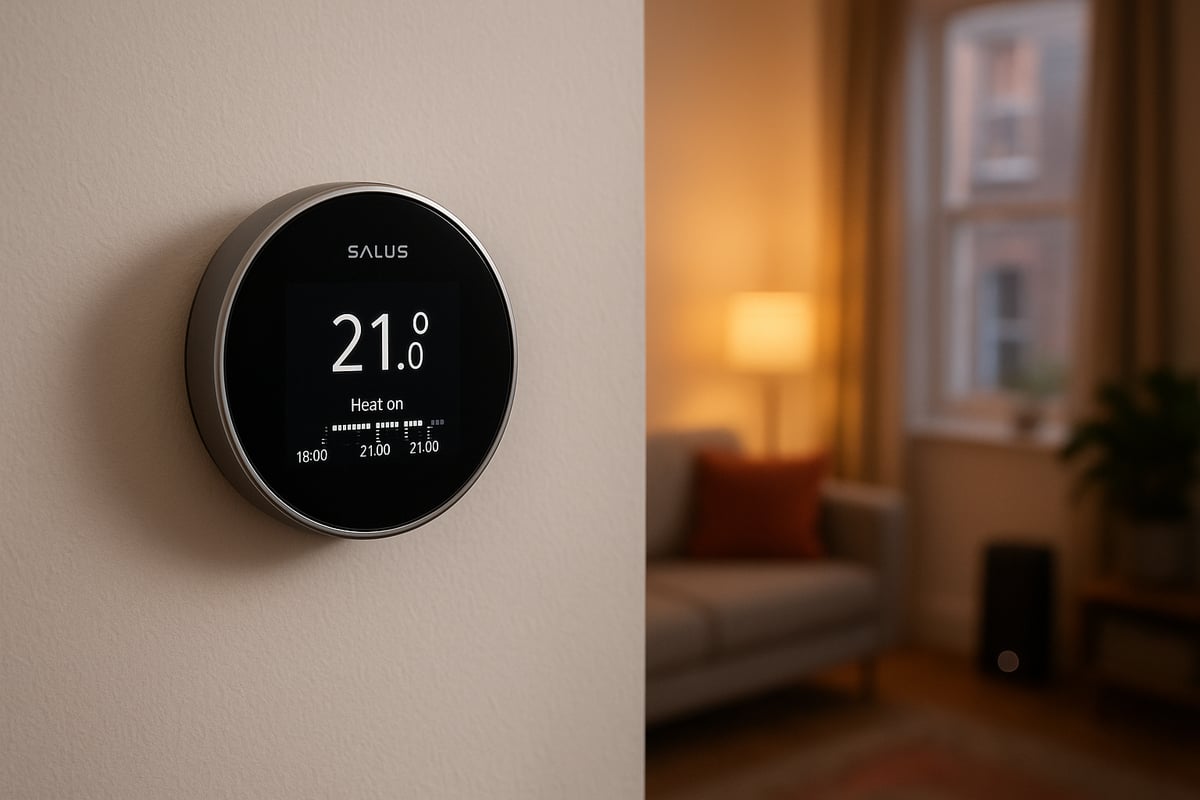
The 2026 salus smart thermostat range introduces significant upgrades in both design and functionality. Leading models such as the IT800WIFI offer Wi-Fi and Zigbee connectivity, making them compatible with Alexa, Google Home, and a wide range of smart home platforms.
Salus thermostats feature a compact build, often measuring just 65 x 25.6 mm, with modern touches like metallic rings and negative LCD displays for easy readability. This attention to style ensures the salus smart thermostat complements any contemporary décor.
Key features across the range include:
- Support for central, underfloor, radiator, and electric heating systems
- Energy optimisation with both predefined and customisable programmes
- Robust security functions, including landlord PIN and manual override
- Reliable communication protocols and a generous 5-year warranty
For users interested in the full breadth of what these devices can offer, the Features available on smart thermostats provides an in-depth look at the innovations found in leading models.
The salus smart thermostat is readily available throughout the UK, ensuring support and aftercare are never far away.
| Model | Connectivity | Display Type | Supported Heating | Security Features |
|---|---|---|---|---|
| IT800WIFI | Wi-Fi, Zigbee | Negative LCD | Central, UFH, Electric | PIN, Override |
| VS10WRF | Wireless (RF) | LCD | Central, Radiator | PIN, Override |
| SQ610RF | Zigbee | LCD | Underfloor | PIN, Override |
Market Trends and User Adoption
The adoption of smart thermostats in the UK is accelerating rapidly. By 2026, more households and landlords are recognising the value of installing a salus smart thermostat for both convenience and cost savings.
Market data reveals a strong preference for remote access features, with many users selecting models that allow app-based control and integration with voice assistants. Energy efficiency remains a top priority, as the salus smart thermostat empowers users to monitor and optimise their consumption with ease.
Aesthetics now play a vital role in purchasing decisions. Homeowners seek devices that blend seamlessly with modern interiors and offer intuitive interfaces. The compact design and customisable displays of the salus smart thermostat meet these expectations, enhancing both style and usability.
As demand grows, the salus smart thermostat continues to set the benchmark for connected, energy-efficient heating controls in UK homes.
Step-by-Step Installation Guide for Salus Smart Thermostats
Installing a salus smart thermostat can transform your home’s comfort and energy efficiency. Whether you are a homeowner, landlord, or professional installer, following a clear and structured process ensures optimal results. This step-by-step guide will walk you through preparation, installation, and setup, helping you get the best from your salus smart thermostat.

Preparation and Compatibility Checks
Before beginning installation, it is essential to assess your current heating system. Identify whether you have a central, electric, or underfloor system, as this affects compatibility. The salus smart thermostat range, including models like IT800WIFI, VS10WRF, and SQ610RF, supports most UK heating types.
Check the compatibility of your heating setup with the chosen salus smart thermostat. Refer to the product manual or manufacturer’s website for specific requirements. Gather the necessary tools, such as a screwdriver, level, drill, and wire strippers. Always review the instruction manual included in the box to familiarise yourself with the process and safety guidelines.
Decide on the mounting method. Salus smart thermostats offer both wall and desk mounting options, giving flexibility to suit your space. Consider the optimal location for accurate temperature readings, avoiding direct sunlight or heat sources. Preparation is key to a smooth installation and minimises the risk of errors.
Physical Installation Process
Begin by unboxing your salus smart thermostat. Typically, you will find the thermostat, mounting plates, charging dock, screws, adhesive tape, and a detailed instruction manual. Lay out all components and check nothing is missing.
For wall mounting, use the provided template to mark drill points. Secure the mounting plate with screws or adhesive tape, depending on your wall type. For desk mounting, assemble the charging dock and attach the thermostat as per instructions. Connect the salus smart thermostat to its receiver and power supply, ensuring the integrated rechargeable battery is properly seated.
Follow safe wiring practices, turning off the power before connecting wires. Match terminals as indicated in the manual. The Salus IT800WIFI Technical Specifications provide detailed wiring diagrams for reference. Once wired, attach the thermostat to the mounting plate or dock. Restore power and check for secure connections. A careful approach here ensures your salus smart thermostat operates safely and efficiently.
Initial Setup and Pairing
After mounting, power up your salus smart thermostat and allow the battery to charge fully. Begin pairing the device with the SALUS Premium Lite App to enable Wi-Fi control. Follow on-screen prompts in the app to connect your thermostat to your home network.
If your home uses Zigbee or another smart home platform, configure connectivity by enabling Zigbee in the device settings. Test the communication range, which typically extends up to 30 metres on the 2.4 GHz band. Move around your home to ensure stable signal strength.
Consult installer feedback for tips on a hassle-free setup. Place the thermostat at the correct height and location for precise temperature monitoring. With these steps complete, your salus smart thermostat is ready for use, offering advanced control and energy management.
Advanced Features and Customisation
The salus smart thermostat stands out in the crowded smart home market by offering a blend of advanced functionality, elegant design, and robust integration. Whether you are looking to control your heating remotely, optimise your energy usage, or seamlessly connect with your smart home ecosystem, Salus delivers a comprehensive solution. In this section, we will explore the features that set the salus smart thermostat apart and show you how to unlock its full potential.

Smart Control and Remote Access
With the salus smart thermostat, managing your home’s climate is effortless and intuitive. The SALUS app provides remote access to your heating and cooling, allowing you to adjust temperatures from anywhere using your smartphone or tablet. This means you can warm up your home before arriving or make quick changes if your schedule shifts unexpectedly.
Setting up daily, weekly, and holiday schedules is simple. You can tailor your heating profile to match your lifestyle, ensuring comfort while minimising unnecessary energy use. The manual override feature lets you make instant adjustments without disrupting your programmed routines.
Additional modes, such as frost protection and night or party settings, offer peace of mind and adaptability. These advanced controls make the salus smart thermostat a practical choice for busy households, landlords, and anyone seeking greater flexibility.
Energy Efficiency and Optimisation
One of the primary benefits of the salus smart thermostat is its suite of energy optimisation tools. By using predefined or customisable programmes, you can reduce your energy bills and lower your household’s carbon footprint. The device’s consumption history feature provides clear insights into your heating patterns, enabling you to identify areas for improvement.
Choosing between predefined and custom programmes depends on your needs. Predefined settings offer convenience, while customisation allows for fine-tuned efficiency. For example, scheduling lower temperatures during weekday work hours and raising them in the evening can bring significant savings.
Salus models equipped with AI-driven features, such as those highlighted in the Salus Sense AI Energy Optimization, take efficiency even further. These systems analyse your usage and automatically adjust settings for peak performance, ensuring your salus smart thermostat delivers both comfort and cost savings.
Integration with Smart Home Ecosystems
The salus smart thermostat is designed with compatibility in mind. It works seamlessly with major smart home platforms, including Alexa, Google Home, and Zigbee-enabled systems. This allows for voice-activated control and easy automation of routines, such as adjusting the temperature when you leave or return home.
Multi-zone control is another standout feature. You can manage multiple rooms from a single app, creating customised environments for each space. This is ideal for larger homes or properties with varied heating needs.
Security and privacy are prioritised through robust communication protocols and built-in PIN protection. With the salus smart thermostat, you can confidently expand your connected home without compromising safety.
User Experience and Design
The user experience is at the forefront of the salus smart thermostat’s design. Modern aesthetics, such as metallic rings and negative LCD displays, ensure the device complements any interior style. Its compact size allows for discreet installation on a wall or desk.
The display is clear and easy to navigate, making it accessible for users of all ages. Landlords and tenants benefit from features like landlord PINs and manual overrides, which provide both control and flexibility.
Accessibility is further enhanced by intuitive app interfaces and physical controls. Whether you are a tech enthusiast or prefer straightforward operation, the salus smart thermostat makes smart heating accessible to everyone.
Troubleshooting and Maintenance Best Practices
Maintaining your salus smart thermostat is crucial for ensuring consistent comfort and efficiency in your home. Even the most advanced thermostat can encounter occasional hiccups, so knowing how to address common issues and keep your device in top condition is essential for homeowners, landlords, and installers.
Common Issues and Quick Fixes
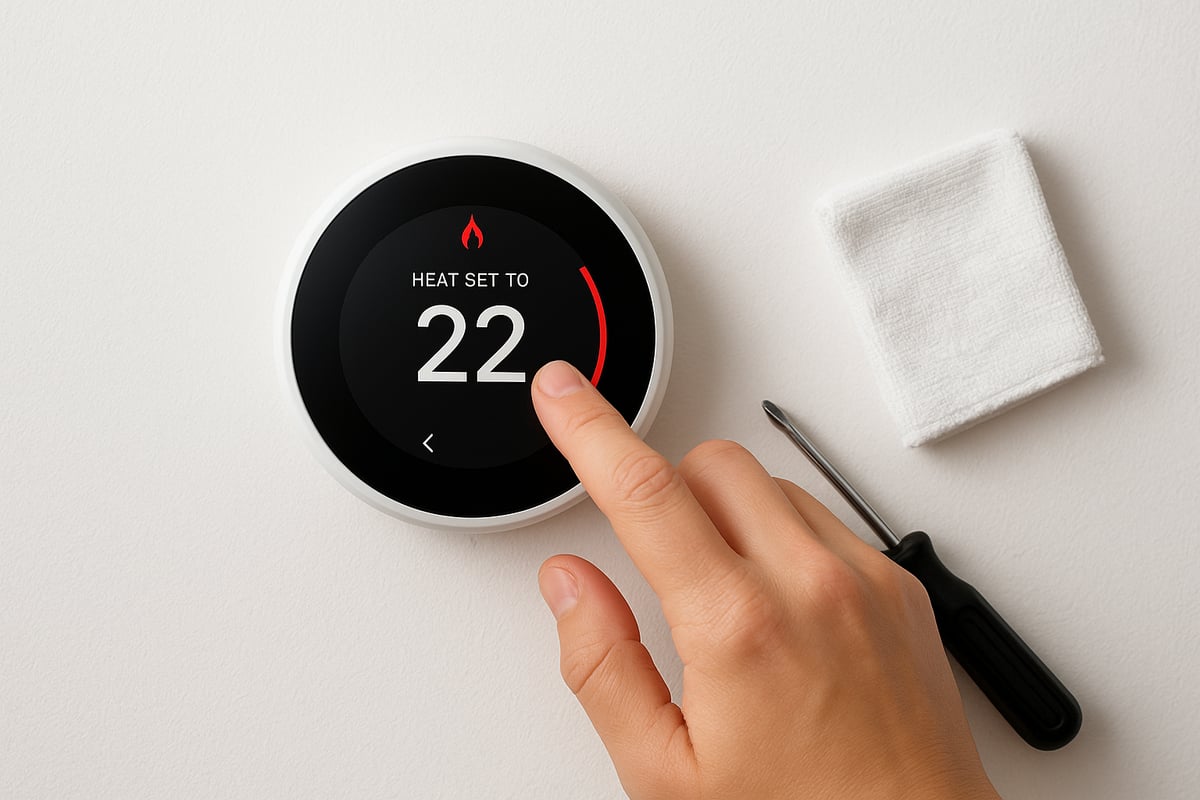
The salus smart thermostat is designed for reliability, but occasional problems can occur. If you experience Wi-Fi drops or trouble pairing with the app, start by checking your router and ensuring the thermostat is within the recommended 30m range. For Zigbee connectivity issues, confirm all devices are on the same network band.
Battery maintenance is simple. Use the integrated rechargeable battery and ensure it is fully charged before setup. If your thermostat seems unresponsive, a quick reset or manual override often resolves the issue. For temperature inaccuracies, recalibrate the device and check that the sensor is not obstructed or placed near draughts.
Sometimes, mistakes during setup or use are the root cause of problems. Review this helpful guide on common mistakes with smart thermostats for practical troubleshooting tips. If issues persist, consult the instruction manual or seek professional support.
Regular Maintenance and Updates
To keep your salus smart thermostat performing at its best, regular maintenance is recommended. Start by keeping the display and housing clean with a soft, dry cloth. Avoid using harsh chemicals that could damage the device.
Firmware and app updates deliver new features and security patches. Enable automatic updates in your app settings, or check for updates monthly. This helps protect your device and ensures compatibility with other smart home systems.
If you notice persistent faults, such as ongoing connectivity issues or hardware malfunctions, it may be time to contact Salus technical support. Make use of the 5-year warranty for peace of mind. Always refer to official resources and avoid attempting repairs that could void your warranty.
A proactive approach to maintenance helps ensure your salus smart thermostat operates smoothly all year round. By addressing minor issues promptly and following recommended care routines, you maximise both comfort and energy savings. Remember, an up-to-date and well-maintained smart thermostat not only enhances your daily experience but also safeguards your investment for years to come.
Maximising Energy Savings and Comfort with Salus
Upgrading to a salus smart thermostat is one of the simplest ways to boost both comfort and energy savings in your home. With the right settings and strategies, you can enjoy a warm, welcoming space while keeping energy bills under control. Let us explore how to make the most of your smart heating investment.
Smart Scheduling and Zoning
One of the standout features of any salus smart thermostat is the ability to create flexible schedules for different rooms and times of day. By dividing your home into separate zones, you can heat only the spaces you use. For example, set living areas to be cosy during the evening, and bedrooms to warm up just before bedtime.
Using smart scheduling, you can automatically reduce temperatures during work hours or overnight, cutting waste without sacrificing comfort. The app makes it easy to adjust your routine, or to set up temporary changes for holidays. Zoning is especially helpful in larger homes, or where parts of the property are rarely occupied.
For a deeper dive into the advantages, see our Benefits of installing a smart thermostat guide. Whether you are a homeowner or landlord, optimising each zone with a salus smart thermostat ensures you never heat empty rooms, keeping costs and emissions low.
Analysing and Reducing Energy Consumption
The salus smart thermostat provides detailed consumption history through its app, helping you spot trends and identify savings opportunities. By reviewing this data, you can benchmark your usage against average UK households and make informed adjustments.
Here is a quick comparison:
| Scenario | Avg. UK Annual Heating (kWh) | Potential Reduction (%) | Estimated Savings (£) |
|---|---|---|---|
| Traditional thermostat | 12,000 | N/A | N/A |
| With salus smart thermostat | 12,000 | 10-20 | 120-240 |
Simple changes, like lowering the temperature by 1°C or using advanced scheduling, can have a real impact. The salus smart thermostat allows you to fine-tune settings, get reminders, and receive insights, making it easier to maintain efficiency year-round.
Sustainability and Green Home Benefits
A salus smart thermostat does more than just save money, it also supports your journey toward a greener home. By reducing unnecessary heating, you lower your carbon footprint and improve your property’s energy efficiency rating.
Many UK households report a noticeable drop in energy bills after installing a salus smart thermostat, especially when combining schedules with features like geofencing or occupancy sensors. Over time, these savings contribute to a more sustainable lifestyle and may even enhance property value.
By making smart choices in heating, you are not just maximising comfort, you are also helping the environment for future generations.
Expert Tips for Getting the Most from Your Salus Smart Thermostat
Unlocking the full potential of your salus smart thermostat is easier when you apply expert insights. Whether you are a homeowner, landlord, or installer, these tips will help you maximise comfort, efficiency, and device longevity.
Installation and Setup Insights
Getting the installation right is crucial for your salus smart thermostat to perform at its best. Start by selecting an optimal location, away from direct sunlight and draughts, to ensure accurate temperature readings. Mounting options include both wall and desk, so choose what fits your space.
Before wiring, always isolate power and follow the manufacturer’s instructions closely. Use the supplied mounting plates, adhesive, and screws for secure placement. Pair the thermostat with its receiver and connect to your Wi-Fi network, making sure the signal is strong throughout your home.
For a more in-depth overview of smart heating controls and best practices, consider referencing this Guide to smart heating controls. Taking time with setup prevents future issues and ensures your salus smart thermostat operates reliably.
Customising for Your Lifestyle
Every home is unique, and your salus smart thermostat can be tailored to match your routine. Begin by setting daily and weekly schedules that reflect your family’s habits—lower temperatures when the house is empty, warmer settings in the evenings.
Activate features like holiday mode or party mode for special occasions. Landlords can use temperature blocking and PIN protection to prevent unauthorised changes, while app notifications help you stay informed about system performance.
If you have multiple zones, use the app to control each area independently. This flexibility means your salus smart thermostat works seamlessly for families, single occupants, and rental properties alike.
Security and Privacy Best Practices
Protecting your smart home starts with your salus smart thermostat. Set strong, unique passwords for the app and enable landlord PIN codes where available. Regularly review device permissions to ensure only trusted users have access.
Keep your thermostat’s firmware and app updated to benefit from the latest security enhancements. If you use voice assistants or integrate with smart home platforms, check privacy settings to limit data sharing.
Physical security matters too. Install the thermostat in a visible, accessible location to deter tampering. These steps help safeguard both your comfort and your data, making your salus smart thermostat a reliable part of your connected home.
When to Upgrade or Replace Your Thermostat
Knowing when to upgrade your salus smart thermostat is important for maintaining optimal performance. Common signs include persistent connection issues, outdated firmware, or lack of compatibility with newer heating systems.
Compare your current model’s features with the latest advancements, such as the IT800WIFI’s improved connectivity and app integration. If you are interested in learning more about the newest models and their benefits, explore Salus IT800WIFI Smart Thermostat Features.
Upgrading can also unlock better energy savings and enhanced control, especially if your property has changed or your needs have evolved.
Upgrade Indicators Table
| Sign | Action |
|---|---|
| Frequent disconnections | Consider upgrade |
| Limited app functions | Explore new models |
| No Zigbee/Wi-Fi support | Upgrade recommended |
| Five years old or older | Assess replacement |
Professional Support and Resources
Support is always available for your salus smart thermostat. Access the latest manuals and installation guides directly from Salus. For complex installations or troubleshooting, certified installers offer professional assistance.
Join community forums to share experiences and pick up tips from other users. Training resources are available for both homeowners and installers, ensuring everyone can operate the thermostat with confidence.
If you encounter persistent issues, remember your device comes with a 5-year warranty. Promptly contacting support can resolve problems quickly and keep your salus smart thermostat running smoothly.
Comparing Salus Thermostat Models: Which is Right for You?
Choosing the right salus smart thermostat can transform your heating control, but with several models available, finding the ideal fit for your home is crucial. Each model brings unique features, ensuring a tailored solution for every property type.
Overview of Leading Salus Models
Salus continues to innovate with its 2026 smart thermostat line, offering options to suit a range of needs. The IT800WIFI stands out for its Wi-Fi connectivity, built-in rechargeable battery, and seamless integration with major smart home platforms. The VS10WRF is a versatile wireless model, perfect for homes requiring flexible mounting and reliable RF communication. For those seeking robust, multi-zone control, the SQ610RF excels with advanced scheduling and compatibility with underfloor and electric heating systems.
Below is a comparison of key specifications:
| Model | Connectivity | Battery Type | Mounting | Smart Features | Best For |
|---|---|---|---|---|---|
| IT800WIFI | Wi-Fi, Zigbee | Rechargeable | Wall, Desk | App, Voice, Multi-zone | Modern homes, integration |
| VS10WRF | RF (Wireless) | AA Replaceable | Wall, Desk | Timers, Manual Override | Rentals, retrofits |
| SQ610RF | RF, Zigbee | Rechargeable | Wall, Desk | Multi-zone, Advanced Scheduling | Large homes, underfloor |
Each salus smart thermostat includes a 5-year warranty and robust security features, providing peace of mind for homeowners and landlords alike.
Choosing Based on Your Home and Needs
Selecting the right salus smart thermostat requires considering your heating type, property size, and integration preferences. For central or underfloor heating in a modern home, the IT800WIFI's Wi-Fi and Zigbee connectivity allow for integration with Alexa or Google Home. In rental properties, the VS10WRF offers easy installation and quick pairing, making it ideal for frequent tenant turnover.
Consider these scenarios:
- Underfloor or electric heating: SQ610RF offers multi-zone control and customisation.
- Large properties: Opt for a model supporting multiple thermostats and remote access.
- Rental homes: VS10WRF provides PIN security and replaceable batteries for hassle-free maintenance.
Review your current system and desired features before choosing a salus smart thermostat to ensure optimal performance and long-term satisfaction.
Value for Money and Future-Proofing
Investing in a salus smart thermostat is not just about current convenience, but also about future readiness. Compare costs against features such as app control, schedule flexibility, and integration options. Models like the IT800WIFI offer ongoing firmware updates and strong aftercare support, helping you avoid obsolescence.
Warranty and aftercare are essential, with all leading models backed by a 5-year guarantee. User testimonials consistently highlight energy savings and ease of use. As the UK Smart Thermostat Market Forecast shows, adoption is rising rapidly, reflecting growing confidence in smart home solutions.
Choosing a salus smart thermostat now ensures your home remains efficient, connected, and ready for future innovations.
Now that you’ve explored how Salus smart thermostats can revolutionise your home’s comfort and efficiency, why not take the next step towards a smarter, greener living space? At Castle Heating Kent, we’re passionate about helping you find the right solution—whether you’re upgrading your current system, looking for expert installation, or simply need advice tailored to your property. Our Gas Safe registered team brings years of hands on experience and trusted service across Rochester, Gravesend, and wider Kent. Ready to make your home warmer and more energy efficient? Keeping Homes in and around kent Warm, Dry & Flowing Book with castle heating kent

